
Driver Installation
5 Installing an Eigen Ingenuity Driver
Section titled “5 Installing an Eigen Ingenuity Driver”Eigen Ingenuity drivers connect to 3rd party data sources and provide a secure web API that can then be configured as a data source. They manage all technical aspects including authorization and interface protocols and address any restrictions such as query size limitations, response size limits (e.g. maximum number of rows) or missing functionality (for example, aggregates) so that the user experience is consistent across all data sources.
Setting up an Eigen Ingenuity driver requires two steps:
-
Driver installation and configuration
-
Driver registration with the back-end
5.1 Driver Installation
Section titled “5.1 Driver Installation”Eigen Ingenuity drivers are individually licenced components. The software will be provided by your Eigen contact, along with installation instructions, as part of the installation and set-up process.
5.2 Driver registration
Section titled “5.2 Driver registration”Warning
The Ingenuity Diagnostics module can make critical system changes that might render the system inoperable, potentially requiring reinstallation. For this reason, write permissions for the Ingenuity Diagnostics module are restricted to organizations with Gold-level or higher support subscriptions and at least one Eigen-certified system administrator.
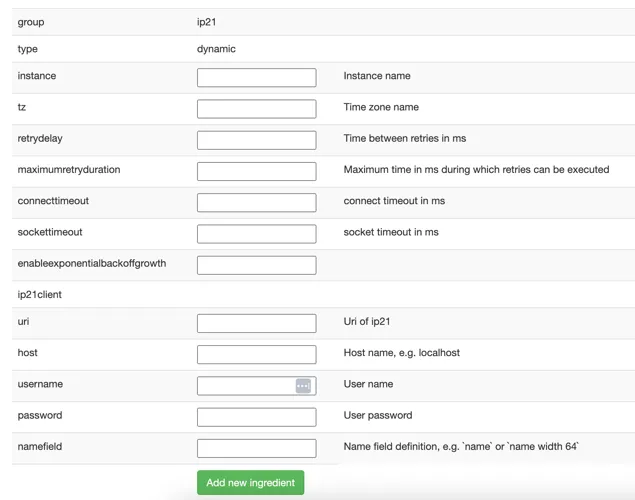
Once the driver is installed it must be registered as an Ingredient in the Ingenuity Diagnostics module by completing the relevant template. This will manage the configuration of the driver and register it as a data source.
The example below is the template for registering a new IP.21 driver instance.